Best Computer for Day Trading in 2026
The best computers for day trading in 2026, from a $1,600 Mac mini to a $4,200 workstation, compared on single-thread speed, RAM and outputs for 4 to 8 monitors.
We may earn a commission from links on this page, at no extra cost to you. How we pick products
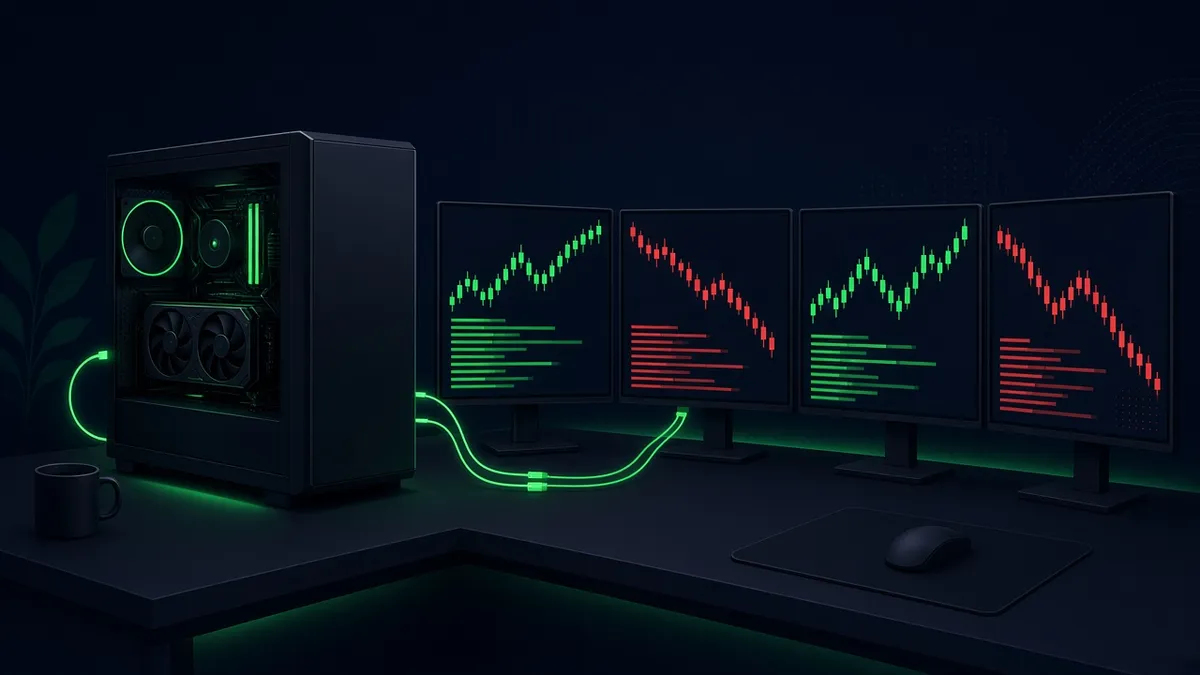
A trading computer has an odd job. It doesn't need to render a film or train a model. It needs to keep a charting platform, an order ladder, a scanner, a browser full of news tabs and maybe a video feed all responsive at the same moment, across four, six or eight screens, without a stutter at the open. That rewards a different spec sheet from a gaming rig or a video-editing workstation, and it means you can overspend badly in the wrong places.
This guide covers five machines you can buy today at B&H Photo, from about $1,600 to about $4,200, plus a custom builder worth knowing about if you need six to eight screens. We checked each spec on the B&H product page or the maker's own spec sheet, and every price was checked in October 2026.
Quick picks
| Computer | CPU | RAM / SSD | Monitors supported | Approx. price (checked Oct 2026) | Best for |
|---|---|---|---|---|---|
| Apple Mac mini (M5 Pro) | M5 Pro, 15-core | 24GB / 512GB | Up to 3 | about $1,599 at B&H | Two or three screens on a budget |
| CyberPowerPC Gamer Supreme Liquid Cool (RTX 5070) | AMD Ryzen 7 9700X | 32GB / 2TB | 4 outputs (3 DP + 1 HDMI) | about $2,280 at B&H | Best value Windows tower |
| Apple Mac Studio (M5 Max) | M5 Max, 18-core | 36GB / 512GB | Up to 5 | about $2,299 at B&H (list $2,499) | Mac traders with 4 to 5 screens |
| Dell Alienware Aurora (RTX 5080) | Intel Core Ultra 9 285K | 32GB / 2TB | 4 outputs (3 DP 2.1b + 1 HDMI 2.1b) | about $3,299 at B&H (list $3,949) | Fastest all-rounder for Windows |
| HP Z2 G1i Tower Workstation | Intel Core Ultra 7 265 | 48GB / 1TB | 4 Mini DisplayPort 2.1b | about $4,241 at B&H | Workstation-class reliability |
| Puget Systems C121-L | Intel Core Ultra 200S Plus (you choose) | Up to 256GB | Up to 2 graphics cards | from about $4,002 at Puget | Custom-built 6 to 8 screen rigs |
Prices are approximate and were checked on B&H in October 2026. Several are sale prices marked "limited supply", so check the current price before you buy.
What actually matters in a trading computer
1. Single-thread speed beats core count
Most charting and order-entry software does a lot of its work on one main thread: drawing the chart, updating the ladder, handling your clicks. A CPU with fast individual cores keeps that thread from falling behind when the tape speeds up. Extra cores help when you run many separate programs at once, but a chip with many slow cores can feel worse than one with fewer, faster cores. When comparing CPUs, look at single-thread benchmark results rather than core counts, and favor current-generation desktop chips such as Intel's Core Ultra 200S series, AMD's Ryzen 9000 series, or Apple's M5 family.
2. RAM: 32GB is the floor
Every chart, browser tab and platform window holds memory. 16GB gets tight quickly with a broker platform, a separate charting tool and Chrome all open. 32GB is the sensible minimum for a multi-monitor desk in 2026, and 48 to 64GB is worth it if you run backtests, many workspaces or virtual machines. Memory is also the part that has jumped most in price this year (more on that under build vs buy), which is one reason prebuilt machines look better value than they used to.
3. Graphics outputs, not gaming speed
For trading, the graphics card is mostly a connector board. What matters is how many monitors it can drive and at what resolution. NVIDIA's GeForce RTX 5070 family supports up to four independent displays, from three DisplayPort 2.1b outputs and one HDMI 2.1b output, per NVIDIA. Workstation cards like the RTX PRO 2000 Blackwell in the HP Z2 below put four Mini DisplayPort outputs on one card. Apple's chips have fixed limits instead: three external displays on the M5 Pro Mac mini, five on the M5 Max Mac Studio, and eight on the M5 Ultra.
A rough guide:
- 2 to 3 monitors: almost any current machine, including a Mac mini.
- 4 monitors: one discrete GPU with four outputs, or a Mac Studio.
- 5 to 6 monitors: a Mac Studio M5 Max (five), or a tower with a second graphics card.
- 8 monitors: a Mac Studio M5 Ultra, or a tower with two four-output cards and a power supply sized for both.
If you would rather run fewer, bigger screens, one 5K2K ultrawide can replace two 4K monitors. See our ultrawide monitor guide.
4. Fast NVMe storage
A good NVMe SSD makes platforms, workspaces and historical data load quickly. All five picks ship with NVMe storage. 1TB is enough for most traders; tick-data hoarders should look for a free M.2 slot to add a second drive later.
5. Reliability over raw speed
A frozen platform with an open position costs more than any computer. Prioritize a machine with a proper warranty and support, wired Ethernet rather than Wi-Fi, and a good uninterruptible power supply. Workstations like the HP Z2 add business-grade chipsets and remote-management features, which is part of why they cost more for similar headline specs.
1. Apple Mac mini (M5 Pro): best for two or three screens
The M5 Pro Mac mini is the cheapest way into a fast, quiet, reliable trading machine, at about $1,599 at B&H for the 15-core M5 Pro with 24GB of unified memory and a 512GB SSD (list $1,699, checked Oct 2026). It is five inches square, so it disappears under a monitor stand.
Apple says the M5 Pro supports up to three external displays, at up to 6K 60Hz or 4K 165Hz each. It has three Thunderbolt 5 ports, an HDMI port, two USB-C ports, 2.5Gb Ethernet and Wi-Fi 7. Memory can't be upgraded later, so choose carefully: 24GB is fine for a platform, a browser and charts, while heavier users should configure 48 or 64GB.
Good fit if you trade on two or three screens and your platform runs on macOS. Skip it if you want four or more monitors, or your broker's desktop platform is Windows-only. Check that first; several popular trading platforms are.
2. CyberPowerPC Gamer Supreme Liquid Cool (RTX 5070): best value Windows tower
This is the value pick for a four-screen Windows desk, at about $2,280 at B&H (checked Oct 2026). B&H lists an AMD Ryzen 7 9700X 8-core CPU, 32GB of DDR5-6000 memory in two of four slots (expandable to 192GB), a 2TB NVMe SSD and a GeForce RTX 5070 with 12GB of memory. It has a 1000W power supply, liquid CPU cooling, and three DisplayPort outputs plus one HDMI, which is four monitors out of the box.
The trade-offs are typical for a gaming-brand prebuilt. Its USB ports are 5Gbps rather than 10Gbps, it uses Gigabit Ethernet, and the RGB lighting is there whether you want it or not. None of that matters for trading, and the open memory slots and drive bays leave room to grow.
Good fit if you want four 4K screens on Windows for the least money. Skip it if you want a quiet, business-style machine with on-site support.
3. Apple Mac Studio (M5 Max): best Mac for four or five screens
Apple's new Mac Studio, released in September 2026, starts at $2,499 with the M5 Max. B&H had the base model (18-core CPU, 32-core GPU, 36GB memory, 512GB SSD) at about $2,299 when we checked in October 2026, marked as limited supply. Apple says the M5 Max drives up to five external displays: four at up to 6K 60Hz or 4K 165Hz, plus a fifth over HDMI.
It has four Thunderbolt 5 ports, HDMI 2.1, 10Gb Ethernet, two USB-A and two front USB-C ports, all in a box 7.7 inches square and 3.7 inches tall. If you need eight screens on a Mac, the M5 Ultra version supports up to eight external displays, per Apple, but it starts at $5,499.
Good fit if you are on macOS and want four or five monitors from one quiet box. Skip it if your platform needs Windows. Running Windows in a virtual machine adds a layer you don't want between you and an order button.
4. Dell Alienware Aurora (Core Ultra 9 285K, RTX 5080): fastest all-rounder
The Aurora pairs Intel's top desktop chip, the 24-core Core Ultra 9 285K (up to 5.5GHz on the performance cores, per B&H), with an RTX 5080, 32GB of DDR5 and a 2TB NVMe SSD. B&H had it at about $3,299 (list $3,949) when we checked in October 2026, marked limited supply at that price. That is a lot of machine for the money in a year when memory prices have pushed most prebuilts up.
For a trading desk, the useful parts are the 285K's fast cores, the four video outputs (three DisplayPort 2.1b and one HDMI 2.1b, per B&H) and the expansion. It has a USB4 port, Wi-Fi 7, and two PCIe 3.0 x4 slots in addition to the x16 slot the graphics card uses. The RTX 5080 is far more GPU than charts need. You are paying for it partly because it comes in this configuration, but it also means the machine handles anything else you throw at it.
Good fit if you want the fastest Windows machine in this guide and four big screens. Skip it if you need more than four monitors from one card, or prefer a business-class warranty.
5. HP Z2 G1i Tower Workstation (RTX PRO 2000): workstation-class reliability
The Z2 G1i is the pick for traders who treat their machine like infrastructure. The configuration we checked at B&H (part E6KL2UT#ABA) has a 20-core Intel Core Ultra 7 265, 48GB of DDR5-5600 in two of four slots (expandable to 256GB), a 1TB NVMe SSD, and an NVIDIA RTX PRO 2000 Blackwell workstation card with 16GB of memory and four Mini DisplayPort 2.1b outputs. It runs Windows 11 Pro on Intel's W880 workstation chipset with vPro, and has three M.2 slots, a 700W power supply and extra PCIe slots.
At about $4,241 at B&H (checked Oct 2026) it is the most expensive pick here, and it was a special order with an expected wait of 6 to 10 weeks. You are paying for the workstation platform: a professional NVIDIA card instead of a gaming one, Intel vPro for remote management, and room to grow to 256GB of memory.
Good fit if you want four screens from one professional card and a machine built for uptime. Skip it if you need it this week, or price matters more than workstation features.
6. Puget Systems C121-L: custom-built for six to eight screens
Puget Systems builds workstations to order, and its larger towers can be configured with more than one graphics card, so you don't have to add the second card yourself. Its C121-L mid tower uses Intel's Core Ultra 200S Plus processors, takes up to two NVIDIA or AMD graphics cards and up to 256GB of DDR5, and starts at about $4,002 on Puget's site (checked Oct 2026). Two four-output cards give you eight screens. Puget also offers lifetime labor and tech support, per its site, which suits a machine you plan to keep for years.
Good fit if you want a Windows tower built and tested for six to eight monitors. Skip it if four screens are enough; the picks above cost less.
What about 8 monitors?
You have two realistic routes:
- Mac Studio with M5 Ultra. Apple says it supports up to eight external displays at up to 6K 60Hz or 4K 165Hz each. It starts at $5,499 at Apple.
- A Windows tower with two graphics cards. Two four-output cards give you eight screens. You can order one configured that way from a builder like Puget Systems (above), or add a second card to a tower yourself if it has a free full-length PCIe slot, enough power supply headroom and good airflow. Confirm with the maker before buying a second card for a prebuilt.
Before you buy for eight screens, consider whether two ultrawides plus two portrait side monitors would give you the same data with fewer bezels. Our monitor guide for day trading covers layouts.
Build vs buy in 2026
Building your own used to be the obvious way to save money. In 2026 that is much less true. Tom's Hardware reported on October 14, 2026 that the cheapest 32GB DDR5-6000 kit cost $449.97, after RAM prices rose more than 500% in a year. It also noted that price increases have reached prebuilt systems more slowly. In practice, a prebuilt bought on sale often costs about what you would pay for the parts alone.
Buy prebuilt if you want one warranty, one support line and a machine that works on day one. For most traders, this is the right answer this year.
Build if you already own a good case, power supply and memory, or need an unusual layout like two graphics cards for eight monitors. Even then, price the memory first; it may decide the question for you.
Either way, budget for the parts people forget: a UPS sized for the computer and all the monitors, a wired Ethernet run, and monitor arms rated for your screens' weight. If you are putting five or more screens on one desk, check its lifting capacity too; our standing desk guide compares them.
FAQ
Do I need a gaming PC for day trading? No. You need fast cores, 32GB or more of RAM and enough video outputs for your screens. Gaming PCs often happen to have those, which is why two of our picks are gaming machines, but a strong GPU adds nothing to chart speed.
Is a Mac good for day trading? It is if your platform runs natively on macOS. The Mac mini and Mac Studio are fast, quiet and reliable. Check your broker and charting software first, because some trading platforms are Windows-only.
How many monitors can one graphics card run? NVIDIA's spec for the RTX 5070 family lists up to four independent displays, and every graphics card in this guide has four outputs. More than four on Windows usually means a second card.
Is a laptop enough? For two screens on the go, often yes. For a full desk, a desktop gives you more outputs, better cooling and parts you can upgrade.
Specs are from B&H product spec pages, Apple's Mac mini and Mac Studio tech specs, and NVIDIA's RTX 5070 family page. Prices are approximate, were checked in October 2026, and change often; check the current price at the retailer.
Related guides
Best Ultrawide Monitors for Stock Trading in 2026
Five high-resolution ultrawide monitors for trading, compared on resolution, pixel density, ports and size, so one screen can replace a multi-monitor rig.
Best Standing Desks for Multi-Monitor Trading Setups in 2026
Electric standing desks that can carry a multi-monitor trading rig: UPLIFT V3, FlexiSpot E7 Pro and Secretlab MAGNUS Pro compared on capacity, height and warranty.
Best Monitors for Day Trading in 2026
The best monitors for day trading in 2026: 4K IPS, OLED and super-ultrawide picks compared on pixel density, ports and burn-in risk for multi-monitor desks.